HIGH-AVAILABILTY & DISASTER RECOVERY
OIL & GAS
Use Case: Unattended Failover
Disasters are unavoidable. They can occur at any time and can severely impact the production database system, referred to as the Primary Database. Hence, most enterprises build their own Disaster Recovery (DR) site, referred to as the Standby Database, in a separate location and keep it synchronized with the Primary Database. It sounds simple, but in reality, it requires precise design, build, and implementation.
What options do we have to implement a Standby Database in a Disaster Recovery site?
For database applications, it is crucial to maintain data consistency, so we need a solution that is aware of transaction states. Oracle provides two options to meet this requirement:
- Oracle Data Guard / Active Data Guard
- Oracle GoldenGate
To achieve an out-of-the-box solution, we opted for Oracle Active Data Guard.
What do we mean by Unattended Failover?
Technically, it is called Fast-Start Failover (FSFO). This is an internal feature of Oracle Data Guard where we start by setting policies and conditions to trigger a failover to a preferred database. A Data Guard background observer process monitors the system; once all policies and conditions are met, the failover is initiated via the failover client.
What happens following a failover?
- The primary system becomes unusable
- The preferred Standby Database becomes the new Primary Database
- Users switch connectivity to the new system
- The original primary is re-instantiated to become a Standby Database
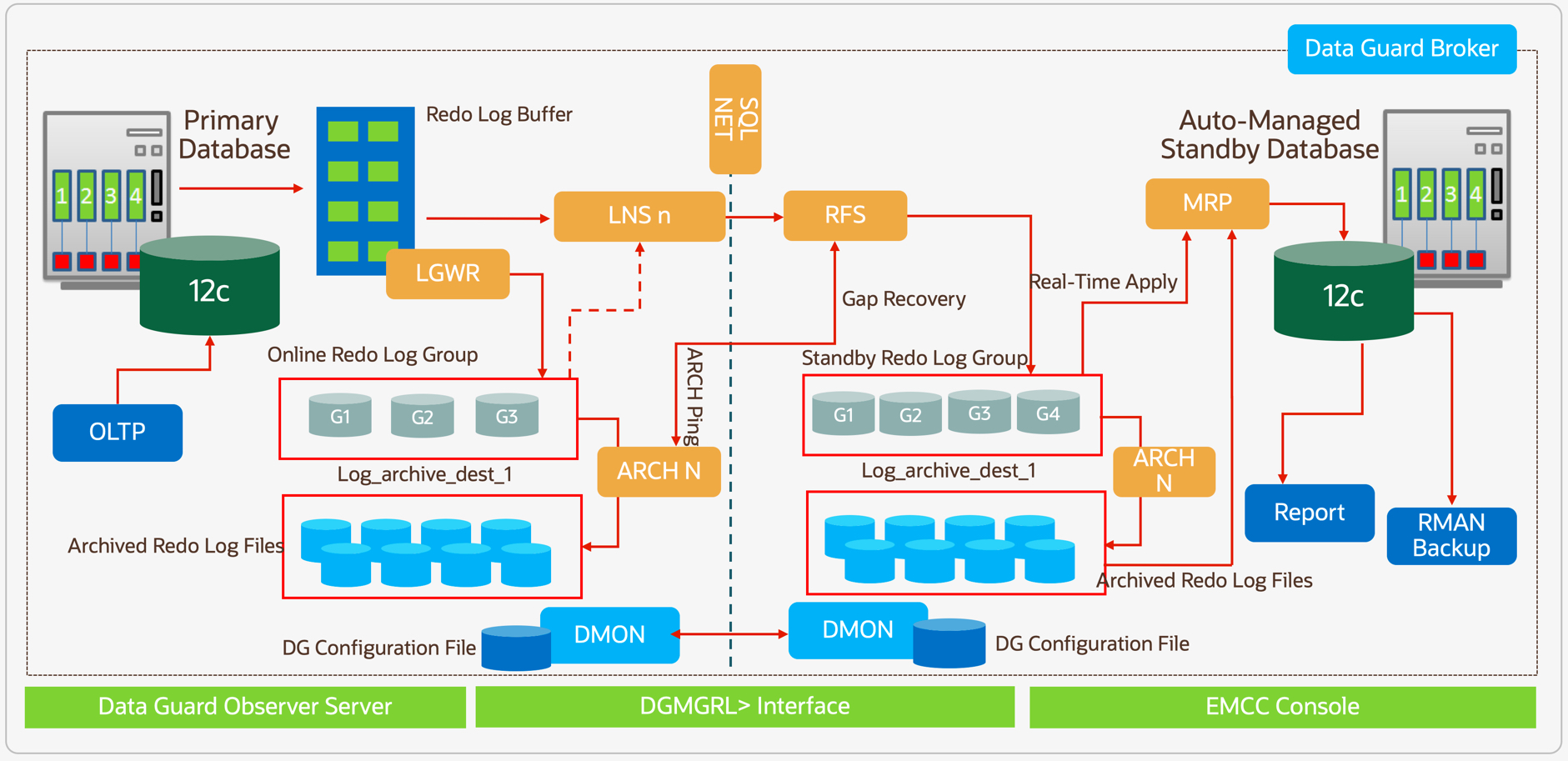
As shown in the reference architecture, the primary database is configured to ship redo to both a local destination and a remote destination via SQL*Net. The redo shipping is coordinated by connecting the LNSn process (local) with the RFS process (remote). The instantiated standby database (normally cloned via RMAN) is kept rolled forward — applying the redo logs — using the MRP process.
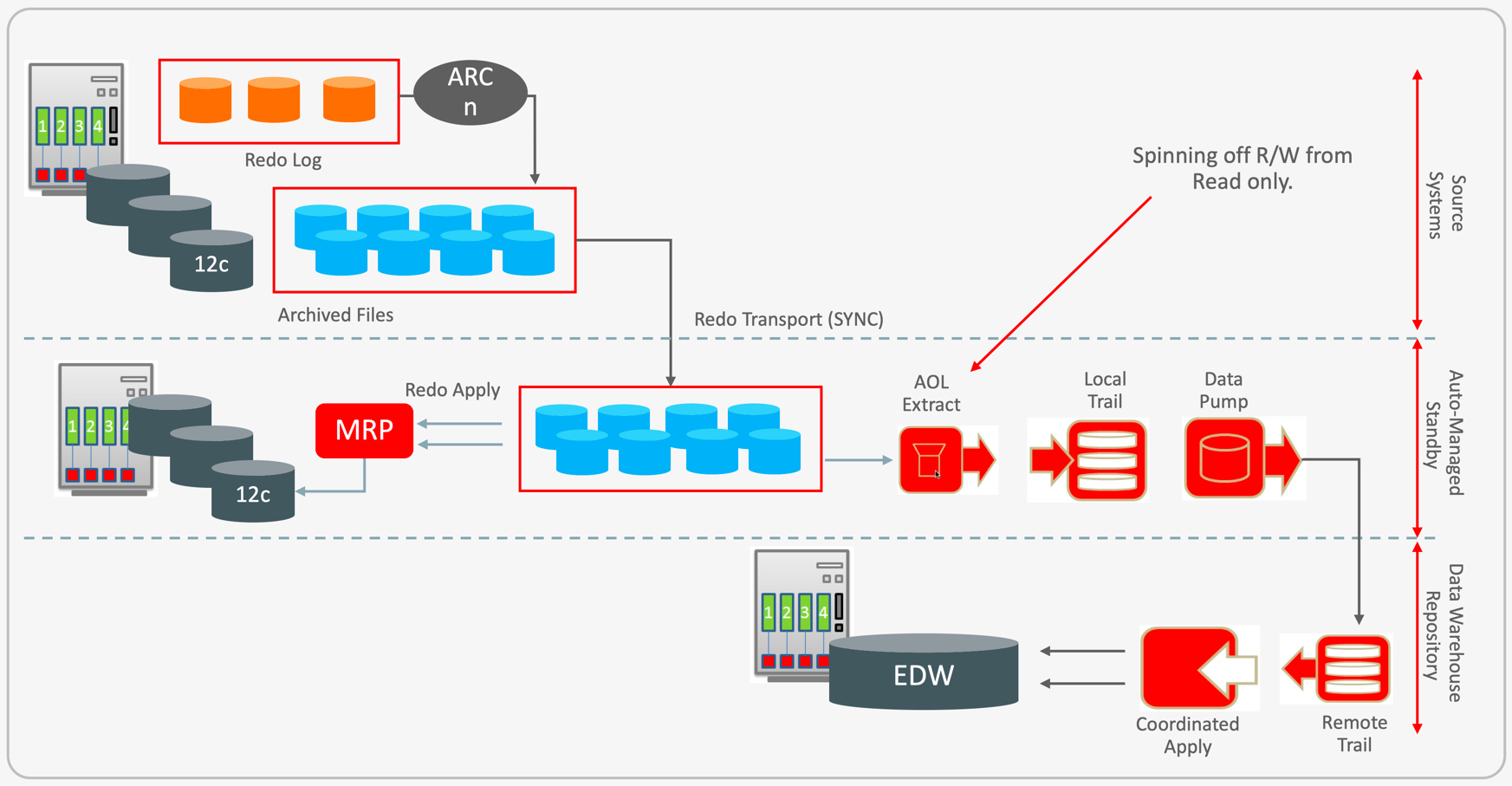
As shown in the reference architecture, the standby is likely running in Active Data Guard mode, meaning it is open in read-only mode. This enables two additional opportunities:
- Business analytics (reporting) can run on the Standby Database
- Backups can be performed against the physical standby database
Download this implementation guide — it covers the reference architecture in depth, command-by-command.